
In today's digital world, users want instant answers and seamless experiences. AI chatbots are beneficial at this point. AI chatbot enhanced customer engagement by adding 24/7 support on the website and providing an enhanced user experience. If you run a small business website or a large e-commerce site, chatbot integration is easier than ever before.
Table of Contents
In this guide, we will show you step by step how to add an AI chatbot to your website and why it’s a great investment.
What is an AI Chatbot?
AI chatbots use the power of artificial intelligence to lead a conversation similar to humans. A chatbot can answer questions, guide users, collect leads, and even help make sales—all without a human.
In contrast with traditional chat systems, AI chatbots learn from conversations, thus becoming smarter and more capable.
Advantages of Integrating an AI Chatbot
Before moving towards the steps, you must see why businesses are using AI chatbots:
- Chatbots are available round the clock to serve users
- Instant response: No wait time for customers
- Better experience by getting correct answers quickly
- Lead generation by capturing user information
- Money saving by reducing the need for large customer service teams
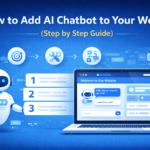
Step-by-Step Guide for Adding an AI Chatbot
Step 1: Establish Your Goals
First, define the intent of the chatbot. What do you want the chatbot to do for your business—customer support, lead generation, or assisting users in navigation?
Defining objectives helps in choosing a suitable chatbot platform and conversation design.
Step 2: Select the Appropriate Chatbot Platform
There are a variety of AI chatbot tools that range from easy to advanced. Some platforms provide drag-and-drop builders, while others require coding.
Select a platform based on your technical capabilities, budget, and business objectives.
Step 3: Create the Conversation Flow
Plan how your chatbot will interact with users. Make your conversation flow simple and logical to answer common questions and guide users.
Keep the language clear and friendly. Avoid overly complicated responses to maintain a smooth experience.
Step 4: Configure the Chatbot
Make the chatbot match your website. Adjust colors, fonts, and placement to align with your brand.
Messages can also be personalized to feel more human and engaging.
Step 5: Integrate the Chatbot to Your Website
Most chatbot platforms offer a plugin or embed code. If you are using a CMS like WordPress, you can add the code to your website’s HTML or use a plugin.
Integration is usually quick and does not require technical skills.
Step 6: Check the Chatbot’s Functionality
Before going live, test your chatbot thoroughly. Test its interaction with different queries and ensure there are no errors or broken flows.
Testing helps identify gaps and improves performance.
Step 7: Launch and Monitor Performance
Once everything is set up, launch your chatbot. Keep track of its performance to understand user behavior.
Use analytics provided by the platform to measure engagement, conversions, and user satisfaction.
How to Implement Chatbots in Business
To get the most out of your chatbot, follow these best practices:
- Keep responses brief and relevant
- Provide an option to connect with a human agent
- Continuously update the chatbot with new data
- Use natural and conversational language
- Monitor and improve performance regularly
Avoid These Common Mistakes
While chatbots are beneficial, certain mistakes can reduce their effectiveness:
- Making conversation flows unnecessarily complex
- Ignoring user feedback
- Not updating the chatbot regularly
- Providing incorrect information
- Skipping proper testing before launch
Avoiding these mistakes ensures a smooth and useful chatbot experience.
Importance of AI Chatbots for Websites
AI chatbots are no longer just a trend but a necessity. With increasing competition and rising customer expectations, businesses must provide quick and efficient support.
Chatbots help improve website conversions and customer satisfaction. They allow businesses to stay competitive in a fast-changing digital world.
Concluding Remarks
Integrating an AI chatbot into your website can significantly improve user engagement and customer interaction. With the right strategy, tools, and regular optimization, a chatbot can become a powerful asset for your business.
From defining goals to testing and monitoring, each step plays an important role in building an effective chatbot experience. When implemented correctly, it can transform how your business connects with customers.
At Auxilium Technology, we provide AI-based chatbot solutions to help businesses engage users, enhance customer experience, and achieve consistent growth.