
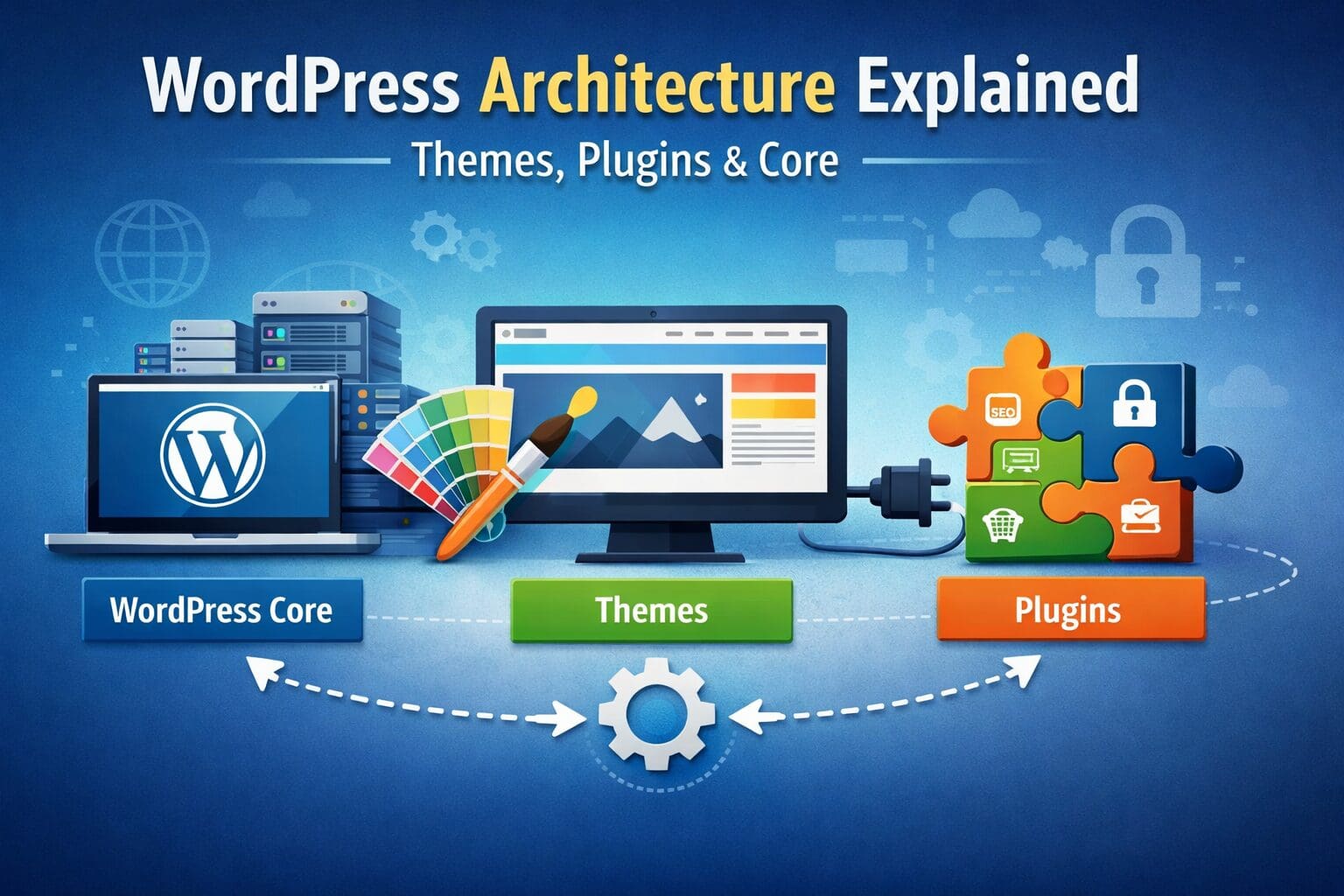
Although WordPress may not look like that at first sight, it is simple on the surface, but behind the scenes, it is a powerful system built to be flexible, extendable, and reliable. By knowing how it works, you can build better sites, perform better, secure better, and troubleshoot better. This guide will cover you.
What Does WordPress Architecture Mean
The architecture of WordPress, or how it is built, enables individuals to use WordPress to power their website. WordPress builds pages dynamically, unlike static websites (HTML pages that never change). Rather, it pulls content from the database, applies design via the theme, and extends functionality by plugins.
Layers of WordPress Architecture:
- Foundation and Functionality – Core
- Thematic Elements Related to Design and Display
- Supplementary Features – Plugins
- Hosting/Server – Structure That Serves Up Your Site
1. WordPress Core: The Foundation of Your Website
The core of WordPress refers to the files and logic that make your website work. A typical WordPress installation comes with several files that help control user accounts, content handling, settings, and the admin dashboard.
Essential Main Elements:
- /wp-admin/: Controls and settings
- Functions, classes, and logic for Core
- wp-config.php: Database configuration and settings
- .htaccess: Settings for permalinks and other sections
How the Core Works in Conjunction with the Loop and Template System:
- WordPress verifies the requested content
- Retrieves data from the database
- Locates the appropriate template file
- Executes the Loop for rendering the final HTML output
Your posts, pages, and archives are generated dynamically like this.
2. The WordPress Database: This is Where Everything Lives
WordPress saves all the information about your site in a MySQL or MariaDB database: posts, pages, users, settings, etc. The connection between your database and WordPress is through the wp-config.php file.
Primary Database Tables:
| Table | Goal |
| wp_posts | Saves posts, pages, and custom content |
| wp_users | Stores user data and passwords |
| wp_options | Stores your settings and preferences |
| wp_terms | Different kinds of labels |
| wp_postmeta | Personalized fields and metadata |
Plugins and themes can also create their own tables or use existing tables to store additional data.
3. Theme: How Your Site Looks
The visual appearance of your WordPress site is controlled by a theme, which describes layout, colors, fonts, headers, footers, menus, and page styles.
Theme Files Located in: wp-content/themes/
Important Files:
- style.css: Styling and theme information
- functions.php: Customizing functionality
- Template files: header.php, footer.php, index.php
Template Structure:
WordPress uses a template hierarchy to decide which file to use for each page.
- Example: A category archive might be handled by category.php or archive.php.
- Default page: index.php
Child Themes Allow Safe Customization:
Child themes inherit design from the parent theme and allow safe modifications without losing changes during updates.
4. Add Extra Features With Plugins
Plugins are the most powerful way to extend WordPress functionality. They allow you to add features such as:
- Contact forms
- SEO tools
- E-commerce features
- Enhanced security
- Page builders
How Plugins Work:
Using actions and filters (hooks) in WordPress core, plugins add, update, or remove functions in the software.
Guidelines for Plugins:
- Install plugins from trusted sources
- Delete unwanted plugins
- Keep plugins updated to avoid security issues
- Limit the number of plugins for better performance
5. Support for Multiple Users and Sites
User Roles in WordPress:
- Administrator: Full control
- Editor: Creates and manages content
- Author: Publishes their own posts
- Contributor: Can write but not publish
- Subscriber: Basic access
Multiple Sites (Multisite):
WordPress Multisite allows you to run multiple sites from one installation — useful for franchises, schools, or networks.
6. Hosting and Infrastructure Considerations
The speed, security, and reliability of your WordPress site depend on your hosting environment.
How it works when someone visits your site:
- Server receives the request
- WordPress processes PHP
- Retrieves data from the database
- Sends final HTML to the user
Suggested Hosting Setup:
- Linux web server
- MySQL/MariaDB
- PHP 8+
- On-site caching and CDN
- SSL for security
7. Headless WordPress and REST API
Headless WordPress separates content management from presentation. WordPress acts as the backend, while the frontend can be built with modern frameworks like React or Vue.
Ideal for:
- Mobile applications
- Custom JavaScript applications
- Static frontends with faster performance
Tips for Building on WordPress
- Avoid editing core files
- Use plugins to add functionality
- Utilize hooks and filters for customization
- Keep everything updated and secure
Conclusion
Grasping WordPress architecture helps you make websites quicker and safer. Understanding how WordPress Core, Themes, Plugins, and Database work together allows you to:
- Make better technical decisions
- Avoid common mistakes
- Customize your site efficiently
Regardless of whether you are running a simple blog or a complex business website, mastering WordPress architecture gives you better control, superior performance, and long-lasting stability — a strategy effectively used by Auxilium Technology.